Accessibility · Product details
Kadosh My Eyes
A voice-first assistant for people who are blind or have low vision. You talk, it talks back, and it does the task on your own computer and phone: email, texts, calls, your calendar, documents and the phone itself. Before anything is sent, it reads it back and waits for your “yes”.
- Version 0.4.0 · October 20, 2026
- Windows computer + Android phone
- No API key to buy
- Free during early access
Who it is for
People who are blind
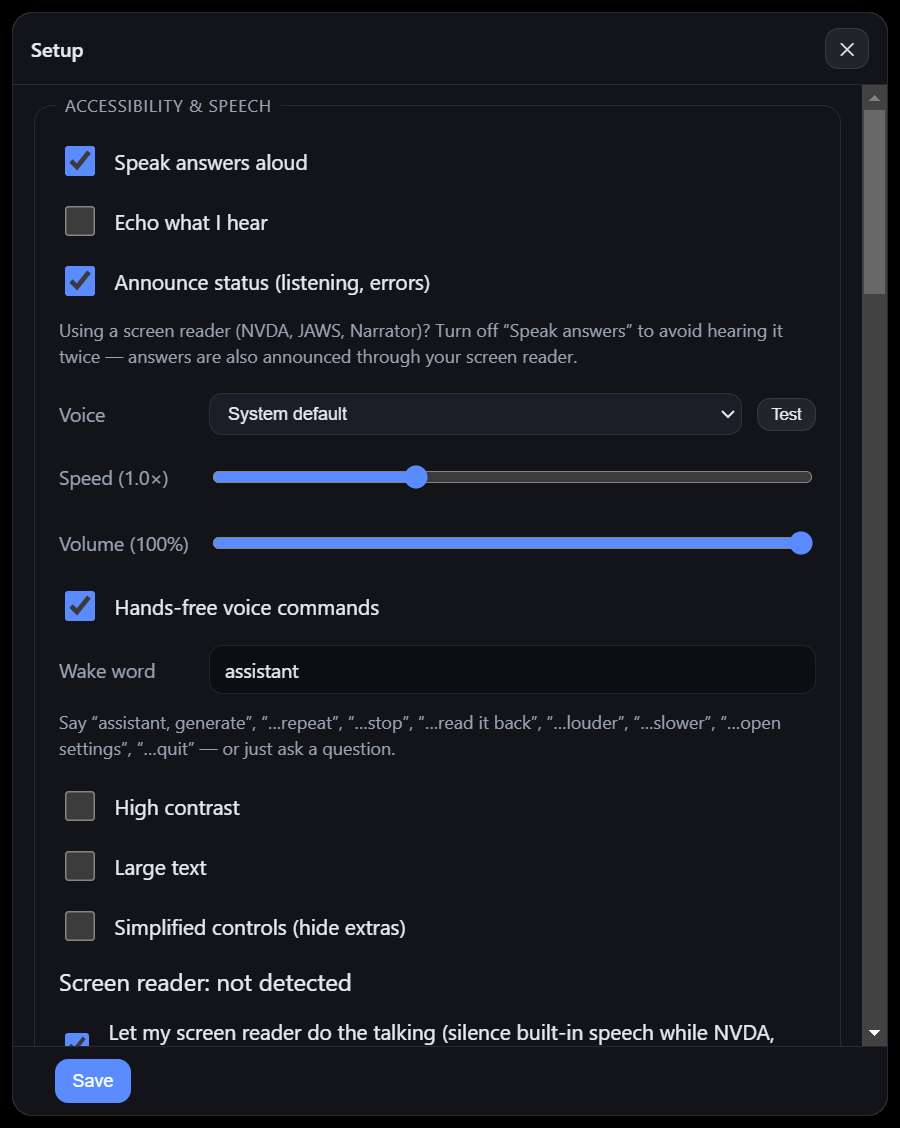
Everything is spoken. It works alongside the NVDA, JAWS and Narrator screen readers and braille displays, and goes quiet when one is running so the screen reader does the talking.
People with low vision
Large text and high-contrast looks: white on black, black on white or yellow on black. Every setting can be changed by voice, one thing at a time.
People for whom buttons or typing are hard
Tap-to-talk instead of holding a button, big buttons, labels next to colors, or voice only with the typing boxes hidden.
Families, helpers and trainers
A spoken first-time setup, a written setup guide and a checklist for the first session with a new user.
Built first for the founder’s father, a teacher with low vision.
What it does
You say what you need in plain words. It answers out loud and, when you ask for an action, carries it out.
On the computer (Windows)
- Reads your newest email, reads a message in full, replies, writes new email and archives (Gmail).
- Sends texts and places calls through your own phone (Windows Phone Link) to contacts you saved by voice.
- Reads your Google Calendar and adds or cancels events (“Friday at 2”, “in 30 minutes”).
- Finds, reads and edits documents by voice, paragraph by paragraph.
- For teaching and presenting: runs the slides, reads the speaker notes privately, takes attendance, runs a spoken timer.
- Describes what is on the screen or reads its text aloud.
- Reminders that survive a restart, a morning briefing, and facts it remembers for you.
- For developers: runs Claude Code by voice and reads every permission request aloud.
On the phone (Android)
- Starts when you say “Hey Del” (the wake word is recognised on the phone itself, offline), press volume down four times, or use Android’s accessibility button.
- Opens apps, reads the screen, describes it, scrolls, goes home or back, tells the time and battery.
- Does multi-step tasks in other apps one step at a time, such as sending a WhatsApp message, with the computer planning each tap.
- Keeps the conversation going until you say “that’s all”, and asks when it needs a choice from you.
- Sets itself up for your eyesight by voice, checks itself and repairs what it can, and updates itself from the computer.
- Uses the computer’s email, calendar and reminders from anywhere over an encrypted link.
Set up for each person
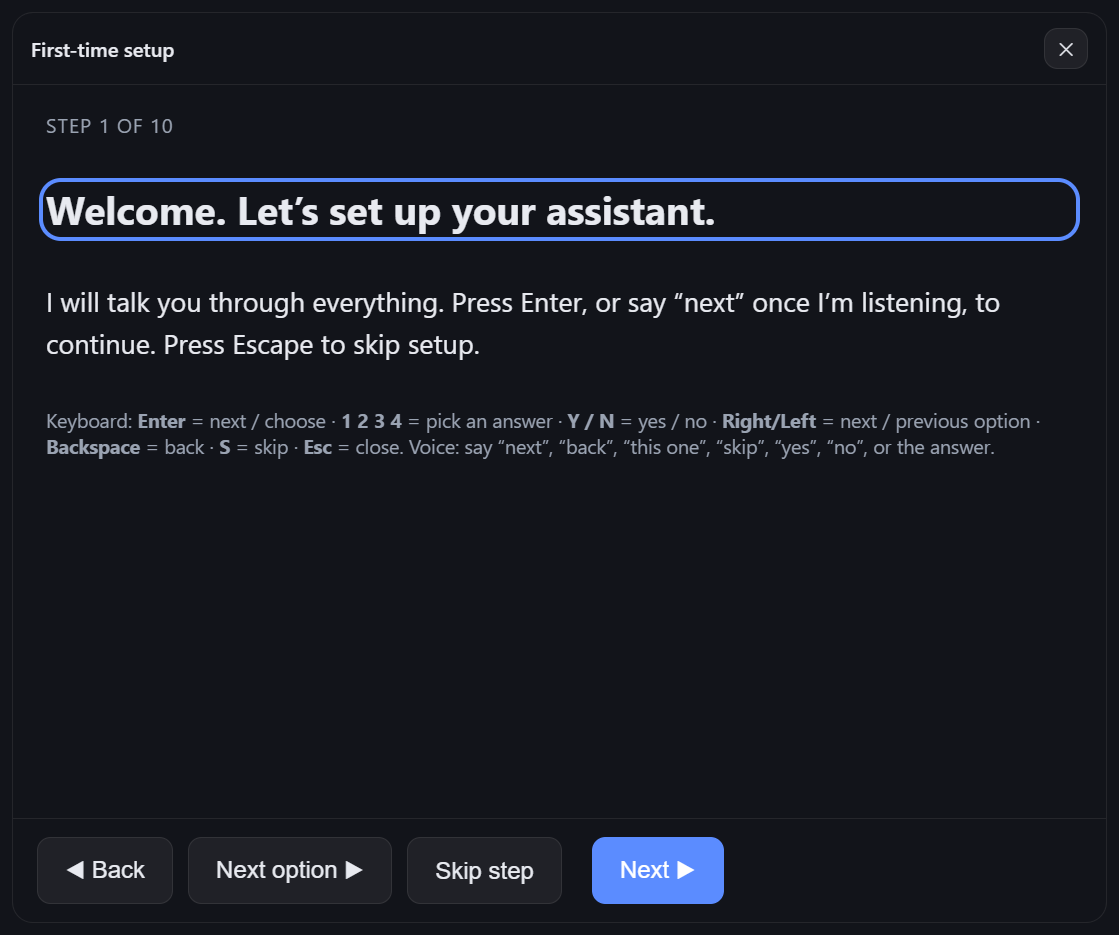
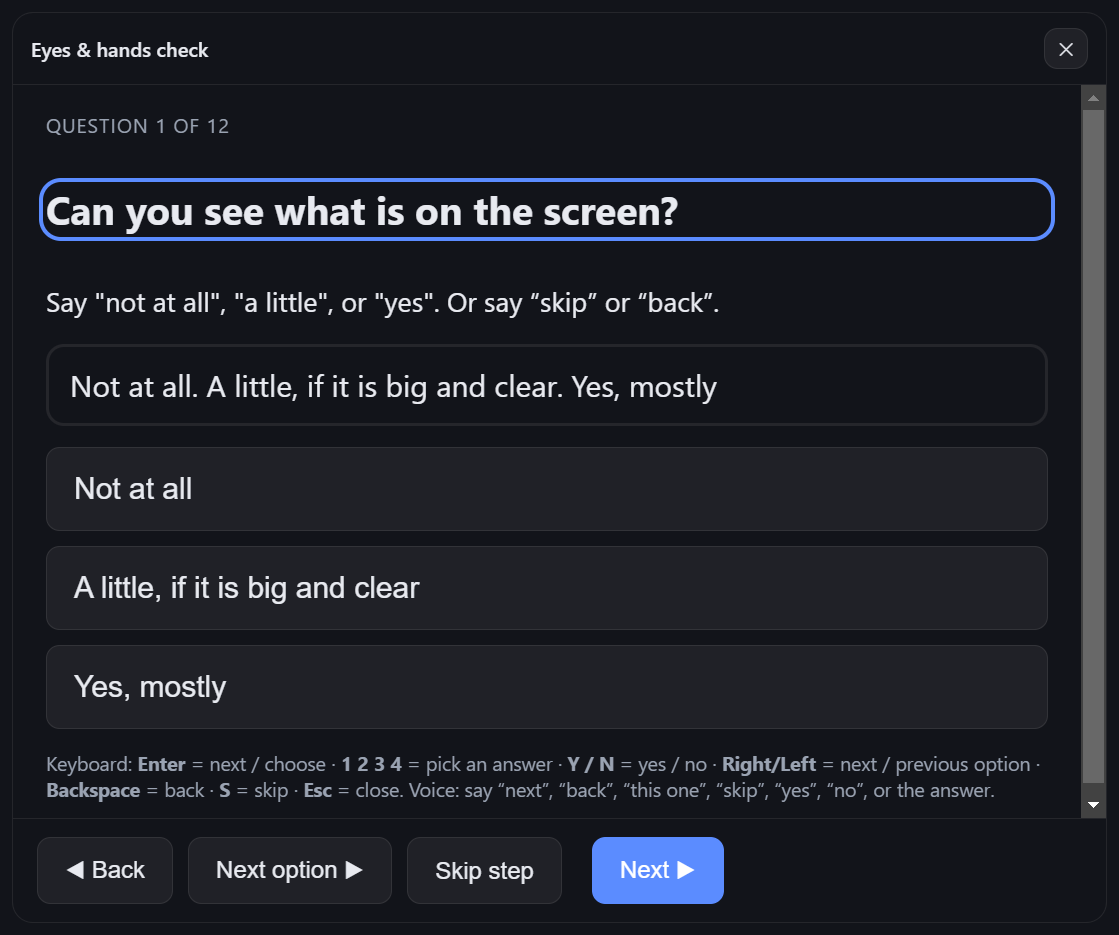
The first time it opens, it talks the person through setup: voice, speed, what to call it, contrast, text size, contacts and accounts. The eyes & hands check asks about ten spoken questions (can you see the screen, which colors are easiest, can you hold a button, do you use a screen reader) and picks a preset: Screen reader, Voice only, Low vision in three color schemes, or Standard with large text. Answers can be given by voice, number keys or tapping.
How it works
- You speak. Speech is turned into text on the computer itself (whisper.cpp, offline). On the phone, the wake word runs on the phone (Vosk, offline). English today.
- It understands and answers. Answers come from Claude, Anthropic’s AI model, through the person’s own Claude account: any plan that includes Claude Code (Pro, Max, Team or Enterprise) or an Anthropic Console account, signed in from the app itself. There is no API key to buy or manage. A free Claude account does not include Claude Code; a free Groq key works instead.
- It acts on your own devices. Email, calendar, documents and texts run on the person’s own computer and phone. The phone reaches the computer through an encrypted outbound link: no router setup and no open ports.
- It tells you what happened. Every answer is spoken (offline Windows voices on the computer, the phone’s own voice on Android) and shown in large text.
Safety and privacy
Read back, then “yes”
Before it sends, posts, replies, calls, pays, buys, books, deletes or installs anything, it reads the action back. Only “yes” goes ahead; “no”, silence or anything else stops it.
Never touches passwords
It does not type into password, PIN, card or code fields, and leaves them out of what it reads from the screen. It asks the person to enter those themselves.
Secrets stay on the computer
Sign-in tokens and keys are encrypted on the computer (Windows DPAPI) and are never shown or spoken again.
Pairing a phone
A six-digit code with five tries pairs a phone. The phone link runs over HTTPS, and the address the phone uses to reconnect is encrypted separately for each phone.
What leaves the device: the request, and the context needed to answer it (for example the screen’s text when asked to read the screen), goes to Claude through the person’s own account, or to Groq if that is the chosen engine.
Testing to date
Every build is tested before it is installed, and the full report is kept with the code. Highlights:
| Date | Release | What was tested | Result |
|---|---|---|---|
| Oct 18, 2026 | 0.2.5 (Windows) | Full repository test suite, including checks that answer through a real Claude account | 455 of 455 passed |
| Oct 18, 2026 | 0.2.5 (Windows) | Stress and fuzz run: 3,000 random assessments, 5,000 garbage answers, 4,000 random commands, hostile settings files | All passed |
| Oct 19, 2026 | 0.3.0 (Android) | End-to-end on an Android 14 emulator: four real volume-down presses start it, a three-step task, the read-back gate, the password refusal, stopping a task | 52 of 52 passed |
| Oct 19, 2026 | 0.3.0 (Android + PC) | Android unit tests; the computer’s phone-planner checks; the live Claude planner (a WhatsApp message in 6 steps at about 1.3 seconds a step, stopped at Send for a “yes”, refused to type a bank password) | 22 unit tests, 48 of 48, 10 of 10 |
| Oct 20, 2026 | 0.4.0 (Android) | End-to-end on an Android 14 emulator: the wake word, conversations with “do you want this one?” choices, memory of past jobs, voice settings, spoken self-setup, “check yourself”, ad skipping, the phone finding a moved link by itself, two self-updates with no taps | 122 of 122 passed |
| Oct 20, 2026 | 0.4.0 (Windows) | Desktop test suite, including the real Claude account and the live phone planner | 16 of 16 suites, 621 checks; planner 15 of 15 |
| Oct 20, 2026 | 0.4.0 | “Hey Del” wake word on 690 recorded clips, plus long stretches of everyday talk | 276 of 276 heard on clean speech; 0 false wakes in 414 look-alike sentences and in 24 minutes of nonstop talk; 60 of 60 in a 13.5-minute mixed stream |
| Oct 20, 2026 | 0.4.0 | Stress and fuzz on the phone side: 1,000 phones on the link hand-off, 3,000 tampered messages, 40 phones downloading an update at once | 22 of 22 passed (every tampered message rejected) |
| Oct 20, 2026 | 0.4.0 | Signing in with any Claude account from the app | 31 of 31 passed |
Android end-to-end tests run on an emulator in GitHub Actions on every change. Known limit: in a loud room the wake word heard 79% of wake phrases (20 dB background noise), and 70% with another voice talking underneath; the accessibility button and the Talk icon always work. Test reports are available to funders and partners on request.
Status
Available now (early access)
- One-file Windows installer (tested on Windows 11; installs for the user, no administrator needed).
- Android app, installed directly during early access.
- Running on its first user’s Android phone (the founder’s father) since October 20, 2026: real YouTube requests done by voice in 11 and 14 steps.
- MIT open-source license chosen for the code.
Not done yet
- Sessions with more blind and low-vision users and their trainers.
- Proof in real rooms over a full day: “Hey Del” at home, battery saver, the self-update on a real phone.
- An iPhone version, and languages other than English.
- An independent accessibility review.
- A code-signed Windows installer and a Google Play release.
- The public code release.
For funders and partners
About 7 million people in the United States live with vision impairment, including about 1 million who are blind (CDC, Fast Facts: Vision Loss). Most of the tools they rely on describe the world to them. Kadosh My Eyes is built to do the work by voice on the person’s own computer and phone, with a confirmation step before anything is sent.
Support would go, in this order, to:
- A structured pilot with blind and low-vision users and their trainers, measuring which everyday tasks they complete without sighted help.
- An iPhone version: 70.6% of people who use a screen reader on a phone use the iPhone’s VoiceOver (WebAIM Screen Reader User Survey #10, 2024).
- An independent accessibility review.
- A code-signed Windows installer and a Google Play release.
Contact: del@kadoshgrowth.com
Product brief: Kadosh My Eyes, 2-page PDF
Made by: Kadosh Digital LLC, Florida
Join the early-access list
For people who would use it, families and helpers, organizations serving blind and low-vision people, and funders. We reply by email.